Payments and Billing
Stripe and PayPal billing built into the products that send the invoice.
- Discipline
- Commerce & Payments
- Status
- In daily use
- Proof
- 250+ monthly payments

Overview
Payment flows across our business systems. Invoices are issued from the HR platform and the client portal, paid through Stripe or PayPal, and recorded against the order or invoice they settle.
- Role
- Payment UX and engineering
- Services
- Checkout design, Stripe integration, PayPal integration, Invoicing
- Platform
- Payment app and APIs inside client systems
Impact
250+
Monthly payments
More than 250 payments a month run through these flows.
Context
Clients choose how they pay. The business needs every payment to land against the right invoice without manual matching.
Challenge
Payments fail in more ways than they succeed: abandoned checkouts, double clicks, slow provider confirmations. Each of those states needs a clear screen for the client and a correct record for the business.
Strategy
The decisionsthat shaped it.
- 01
Tokenised payment links
Each invoice gets its own payment page behind a token. Clients pay without an account and see nothing else.
- 02
Two providers, one record
Stripe and PayPal write to the same transaction model, so reporting does not care how a client paid.
- 03
Every state designed
Pending, paid, failed and refunded are separate states, each with its own copy and next step.

Experience
Who does what,in what order.
Client
- Open payment link
- Review invoice
- Pay with Stripe or PayPal
- See confirmation
Business
- Issue invoice
- Track status
- Reconcile
- Export
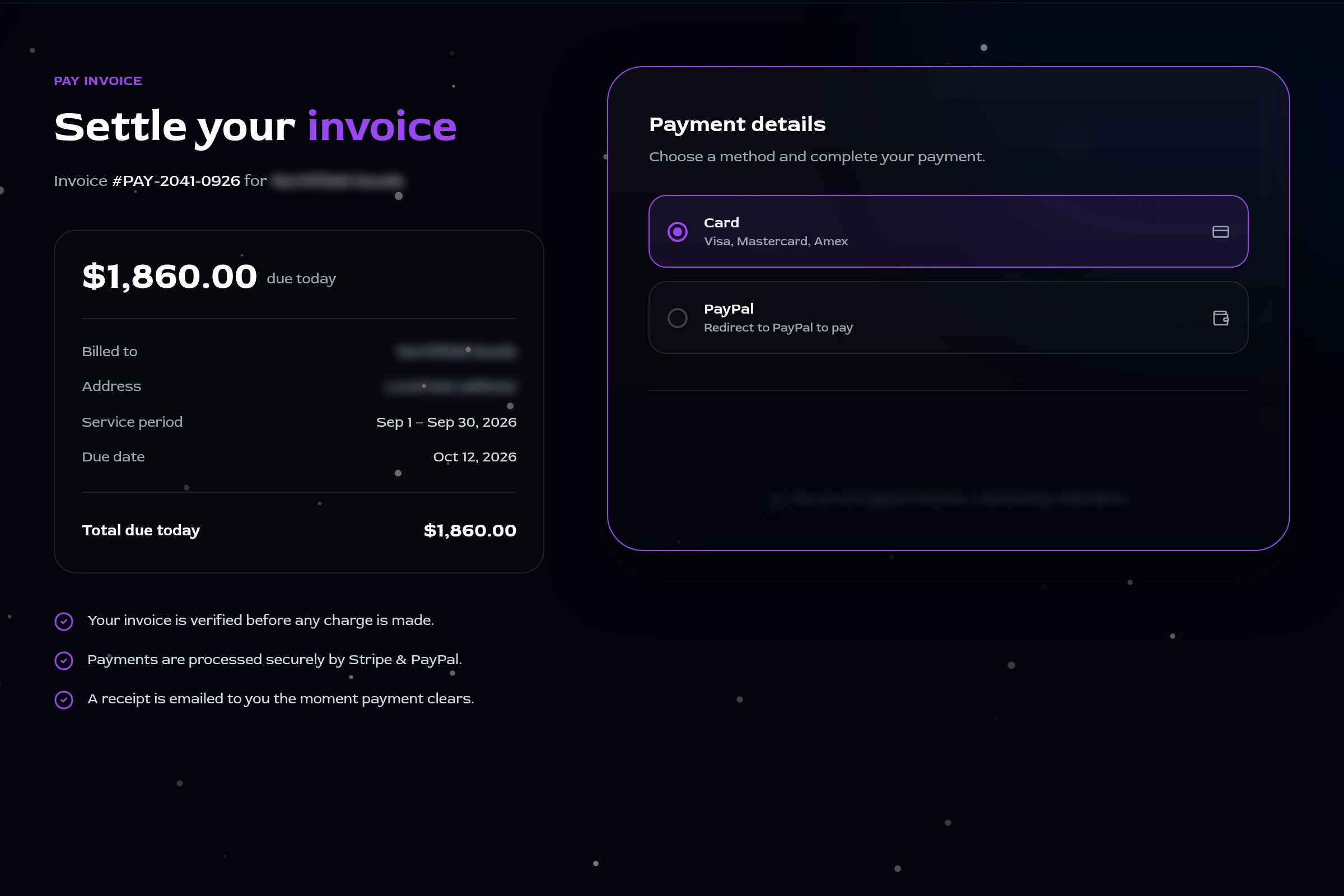
Interfacedecisions.
01
Checkout shows only what is being paid, and to whom.
02
Success and failure screens always say what happens next.
03
Invoices export to PDF for the client's own records.
Engineering
What powers it.
01Interface
- Next.js payment app
02Services
- Node.js API
- Server-side confirmation
03Data
- MongoDB transactions
04Providers
- Stripe
- PayPal
Server-side truth
A payment counts when the server confirms it with the provider, never because the browser said so.
Isolated surface
The payment app is deployed separately from the products that issue invoices.
One pending payment per order
A partial unique index allows a single pending payment per order, so a double click cannot open two charges.
Outcome
More than 250 payments a month run through these flows.