Client Delivery Portal
An authenticated portal where clients order work, approve quotes, receive files and pay invoices.
- Discipline
- Product Engineering
- Status
- In daily use

Overview
A client portal for a production studio. Clients place orders, request and accept quotes, follow progress, download finished files and pay invoices. People on both sides are notified the moment something changes.
- Role
- Product design, frontend and backend engineering
- Services
- Product design, Authenticated web app, File delivery, Payments, Notifications
- Platform
- Web application
Context
The studio delivers large batches of files to clients on deadlines. Every order passes through several steps: a quote, the work, revisions, delivery and payment.
Challenge
Delivery files are large and arrive in batches. Uploads had to survive slow connections, revisions had to stay traceable, and every payment had to settle the exact order it belongs to. Clients also invite their own team members, so permissions reach beyond a single login.
Strategy
The decisionsthat shaped it.
- 01
The order is the spine
Quotes, files, revisions, invoices and payments all hang off the order, so its status is never ambiguous.
- 02
Uploads that resume
Files go to S3 as signed multipart uploads: start, sign each part, complete or abort. A dropped connection costs one part, not the whole file.
- 03
Teams, not just users
Clients invite team members with their own access, and the portal keeps track of who did what.

Experience
Who does what,in what order.
Client
- Create order
- Accept quote
- Follow progress
- Download files
- Pay invoice
Studio
- Receive order
- Send quote
- Upload delivery
- Publish revision
- Issue invoice
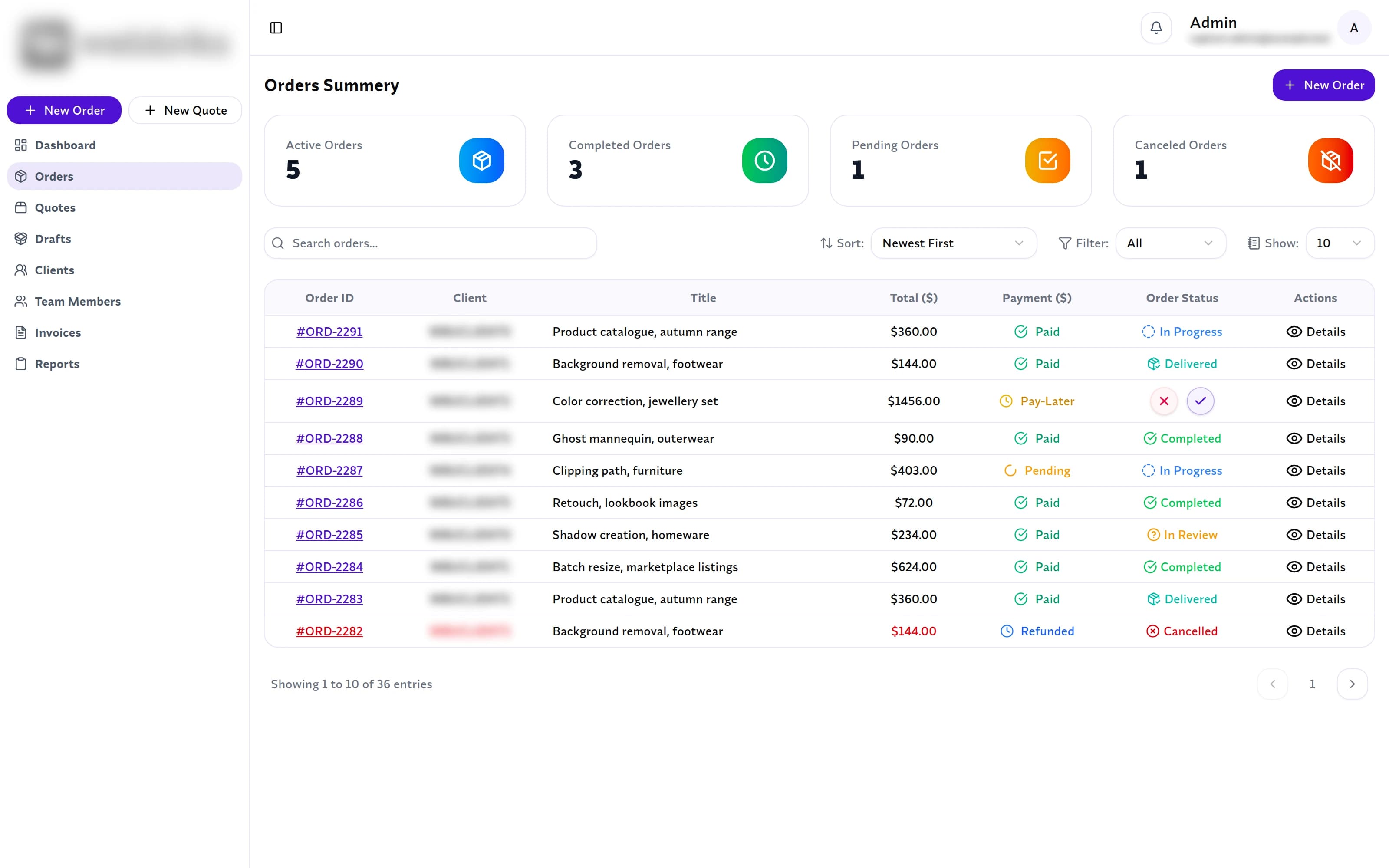
Interfacedecisions.
01
Every order shows its payment and delivery status side by side.
02
Order detail keeps the summary, specifications, payment and revisions on one page.
03
Statuses come from the order model: pending, in progress, in review, delivered, completed, cancelled.
Engineering
What powers it.
01Interface
- Next.js
- Radix UI
- Socket.io client
02Services
- Express API
- Auth and invitations
- Socket.io
03Data
- MongoDB
04Storage
- AWS S3
- Cloudinary
- WebDAV
05Payments
- Stripe
- PayPal
Signed multipart uploads
The API issues signed URLs per part and can resume or abort a batch cleanly.
Revisions on record
Each new revision is recorded against its order, so the latest delivery is always clear.
Live notifications
Order, file and payment events are pushed over Socket.io to everyone involved.
Outcome
Orders, files, revisions and payments run through one authenticated product, with Stripe and PayPal tied directly to the work they pay for.